

TurboFTP Server vs Cloud MFT Tools: A 2026 Reality Check for Windows Admins
Windows admins are hitting a wall. By 2026, the shiny promise of SaaS-only managed file transfer has lost its luster for teams stuck with strict data residency or ugly legacy workflows. Moving a heavy internal process to a public SaaS provider usually works until it doesn't, specifically when egress bills spiral or a proprietary API change snaps a mission-critical script in half. Implementing dedicated FTP server windows or SFTP server windows software helps you avoid these external dependencies entirely.
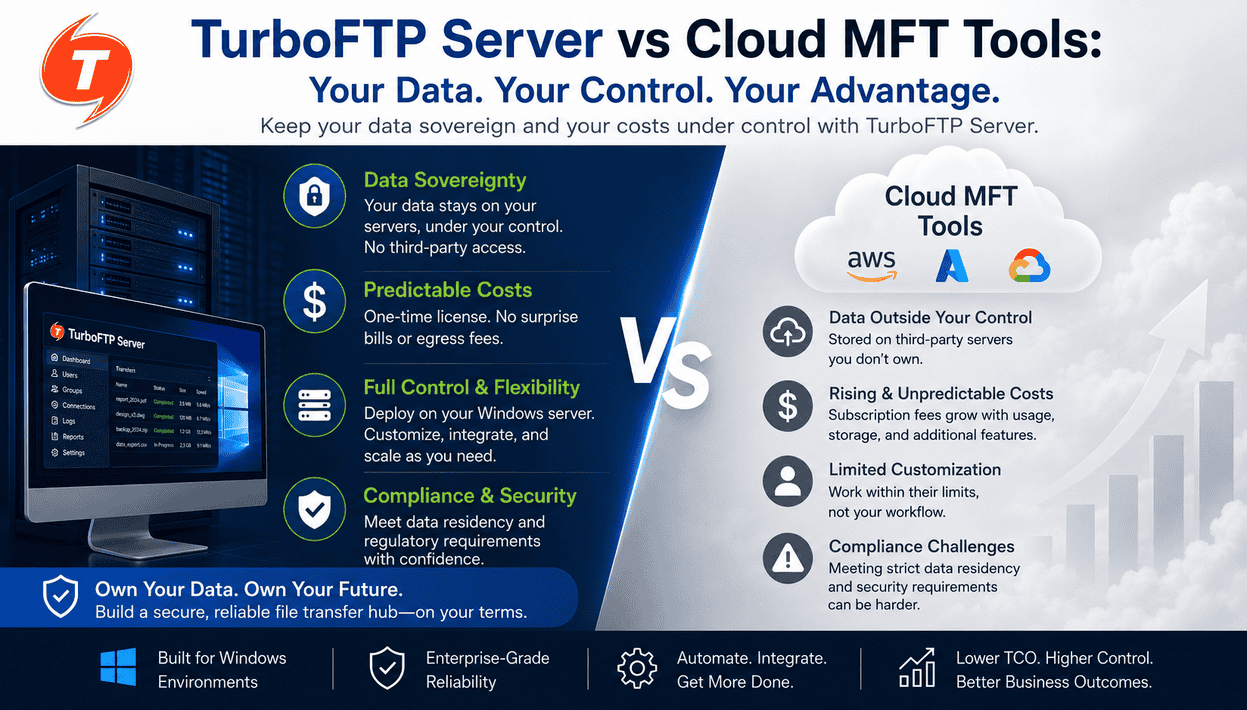
Choosing a server like TurboFTP Server over a SaaS tool isn't necessarily about avoiding the cloud; it's about who owns the configuration and where the data actually sits.
Deployment vs. Infrastructure: Clearing the Confusion
The short answer is yes, self-hosted servers are still relevant. But we need to be precise. There is a massive difference between where a server lives and how it is managed.
If you install TurboFTP Server on an AWS EC2 instance or an Azure VM, you are technically deploying a cloud based SFTP node, but you are still "self-hosted." You control the OS, the patching schedule, and the encryption keys. SaaS platforms featuring managed file transfer software or advanced file sharing software, by contrast, are fully managed by the provider. You trade control for convenience. For many, that trade has become too expensive, leading them to look at cloud storage alternatives.
Why Control Matters More Than "Location"
The strongest differentiator for a self-hosted setup is ownership. SaaS platforms often lock your data and configurations into a proprietary ecosystem. If you want to move your workflows elsewhere, you're looking at a massive migration project.
With a self-hosted SFTP server environment, you have deployment flexibility. You can run on a physical rack in your basement, a private cloud VM, or a hybrid setup. Your scripts and NTFS permissions stay with you regardless of the underlying hardware, allowing for a highly customized file management system.
Native Windows and AD Integration
Cloud-native tools often struggle with "last mile" connectivity to local Windows resources. If your files reside on a local NAS or a high-speed internal SAN, pulling that data into a SaaS portal just to share it with a partner adds unnecessary hops and potential points of failure. This is why many enterprises still rely on a traditional FTP client FTP server architecture or deployment of an SFTP client for direct connections.
Integration is where self-hosted Windows Server FTP software wins:
- LDAP and Active Directory: TurboFTP Server talks directly to your AD. There are no expensive SSO connectors or manual user syncing. When an account is disabled in AD, file access dies instantly. LDAP authentication FTP ensures no "ghost accounts" linger in a SaaS portal because someone forgot to de-provision a seat.
- NTFS Permissions: You leverage your existing security groups. You aren't rebuilding a permission matrix from scratch in a web UI using your SFTP server windows setup.
The Economics of 2026: Egress and Licensing
SaaS providers love "per-user" or "per-seat" pricing. It looks cheap for ten users, but becomes a massive liability for enterprise file sharing at scale where you have hundreds of external vendors.
Self-hosted licensing with TurboFTP Server is fundamentally different. For the Standard, Professional, and Business editions, pricing is based on concurrent connections, meaning you can provision an unlimited number of user accounts in Active Directory without paying a single penny extra. Even on the Enterprise Edition, which introduces a web interface, licensing is scaled predictably by Web Portal Sessions rather than a flat tax on your entire user directory.
Security and Audit Ownership
The "fortress" argument is oversimplified. A poorly configured self-hosted server is just as vulnerable as a SaaS platform. However, self-hosted gives you the "knobs" to turn to build a truly secure file exchange.
- Audit Logs: You own the raw logs. You aren't limited by a 30-day retention policy set by a provider's pricing tier. You can archive, search, and protect them according to your own legal mandates—a necessity if you require a HIPAA compliant file sharing environment.
- Customizable Security: If your auditors demand specific FIPS-validated ciphers, you toggle them in TurboFTP Server. You aren't waiting for a SaaS vendor to update their global cipher suite. You can explicitly configure SSL and FTP rules, secure your FTP passive mode configurations, and map your network ports for FTP server deployments precisely.
- Private Access: While many SaaS tools now support private links, a self-hosted server behind a VPN or within a specific VPC gives you granular control over the attack surface.
Automation Without Lock-in
Complex business processes usually require files to be moved, renamed, and then swallowed by a local script. In a self-hosted environment, you trigger these events directly within the OS. You point the TurboFTP Server to a PowerShell script or a batch file. No webhooks. No complex API middle-layers that might break when the vendor updates their platform. If you need to copy files over SSH or leverage Windows SCP, the control remains entirely in your hands.
The 2026 Strategic Play
SaaS platforms make sense for low-volume projects where you just want to offload the admin work. But for serious Windows shops, it's often a mismatch. If you can't compromise on AD integration, LDAP authentication FTP, audit ownership, or predictable budgeting, self-hosted TurboFTP Server is the right move. 2026 is about stopping vendor lock-in. It's about taking back control of the data lifecycle. If you're planning for the next decade, you need a setup that actually fits your architecture, not a subscription model that forces you to rewrite it.
Check out TurboFTP Server for a deeper look at how to secure your Windows file transfers without the SaaS tax.
FAQs
Is self-hosted hard to manage?
It requires OS-level maintenance. However, if you are wondering how to use FTP on windows 11 or setting up FTP server instances within a modern enterprise environment, the learning curve is minimal. If you have a team that already manages Windows VMs, adding an SFTP server is minimal overhead compared to the cost of SaaS lock-in.
What ports need to be open for security?
That depends entirely on your chosen protocol architecture (SFTP or FTPS). If you are deploying the Secure Shell file transfer protocol (SFTP), it runs entirely over tcp port 22 (the standard SFTP port). If you choose a traditional FTP protocol secured via SSL/TLS (FTPS), it typically utilizes FTPS port 990 for implicit control or port 21 for explicit, alongside a dynamic range of FTP file transfer port allocations for data channels. A standard, unencrypted FTP port (port 21) should generally be avoided over public networks.
Can I run it on Hyper-V?
Yes. It's lightweight. Scale it by adding RAM or cores to the VM as your traffic grows.
What about "Cloud Latency"?
If your server and your data are in the same AWS region, latency is negligible. The "latency" issue usually refers to the overhead of SaaS-managed gateways, not the cloud itself.
Is it really cheaper than SaaS alternatives for heavy files?
Yes, but you have to look at the whole stack. While it's true that hosting a server on a cloud VM still subjects you to infrastructure egress fees, self-hosting wins on two fronts. First, SaaS providers usually package those same cloud bandwidth fees with a heavy commercial markup alongside their restrictive "per-seat" or "per-gigabyte" subscription tiers.
Second, a dedicated file transfer software architecture gives you structural alternatives. If data transfer costs spike on public cloud VMs, you can easily shift your large file sharing workloads to a private hybrid cloud, a traditional data center, or a specialized bare-metal provider where unmetered high-bandwidth pipes cost a fraction of hyperscaler rates. Flat software licensing gives you the architectural freedom to optimize infrastructure costs, whereas SaaS locks you into a pricing model where you pay a premium on every single gigabyte you move.
When you subscribe to the blog, we will send you an e-mail when there are new updates on the site so you wouldn't miss them.